Video Downloader
Download videos from YouTube, Reddit, Instagram and 1000+ sites as MP4s that After Effects and Premiere open. No terminal, nothing to install.
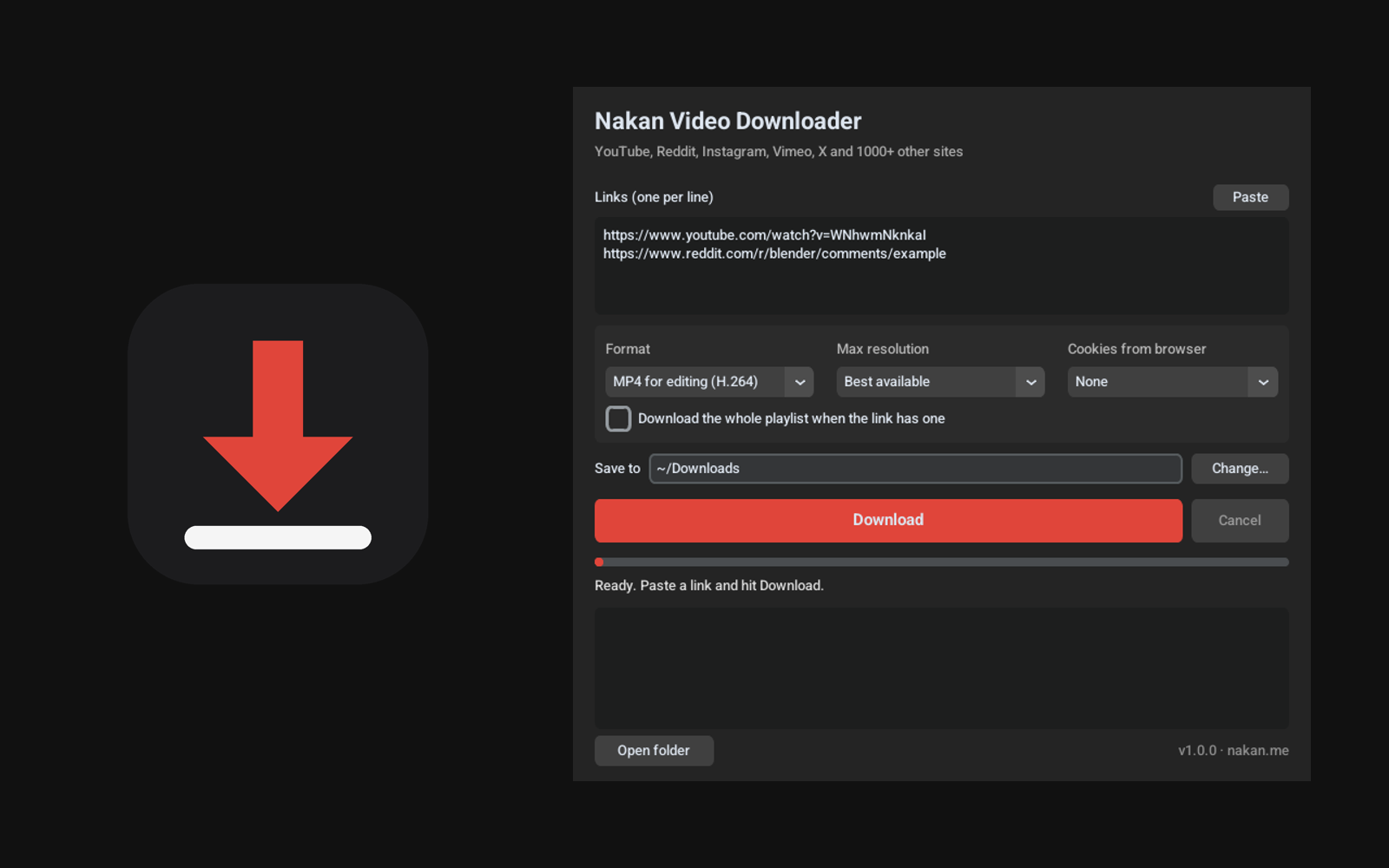
I used to keep a note with yt-dlp commands and paste them into the terminal every time I needed a reference video. It works, but it means installing yt-dlp and ffmpeg, remembering flags, and then re-encoding because After Effects doesn't open VP9 or AV1. So I wrapped all of that in a small window. It's the same engine underneath, with the settings I always use already in place. I hope it saves you some time too.
- Nothing to install by hand: ffmpeg comes inside the app. On first launch it downloads yt-dlp and Deno (the JavaScript runtime YouTube now requires) from their official releases, and keeps yt-dlp updated once a day.
- MP4 that editing apps open: it picks the best quality and only re-encodes to H.264 / AAC when the source isn't already, so 1080p usually comes with no conversion and 4K VP9/AV1 gets converted at high quality.
- Original mode keeps the file untouched, and Audio only saves an MP3.
- Max resolution cap (4K, 1440p, 1080p, 720p) to skip long downloads and conversions.
- Cookies from your browser for sites that need you logged in, like Instagram.
- Several links at once, one per line, and whole playlists when you want them.
Download
Get the latest version on GitHub
- Windows: Nakan-Video-Downloader-Windows.exe
- Mac with Apple chip (M1 and newer): …-macOS-AppleSilicon.dmg
- Mac with Intel: …-macOS-Intel.dmg
The source code is on GitHub too.
How to use
- Download the file for your system. On Mac, open the .dmg and drag the app to Applications.
- Open the app. It isn't signed with a paid Apple/Microsoft certificate, so the first time:
- On Windows, if SmartScreen shows "Windows protected your PC", click More info > Run anyway.
- On Mac, if it says it can't verify the app, go to System Settings > Privacy & Security, scroll down and click Open Anyway.
- On the first launch, wait a moment while it downloads its components (about 80 MB, only once).
- Copy the video link from your browser and click Paste. You can add several links, one per line.
- Choose the Format: MP4 for editing (H.264) for After Effects, Premiere or Resolve; Original for the exact file the site serves; or Audio only (MP3). Optionally set a Max resolution.
- For Instagram, private or age-restricted videos, pick the browser where you're logged in under Cookies from browser. On Windows, Firefox is the most reliable (Chrome needs to be fully closed).
- Check Save to (Downloads by default), click Download, and when it's done click Open folder.
Works on Windows 10/11 and macOS 11 or newer (Apple Silicon and Intel). Please only download content you have the right to use.