Projects
A project database with ready-made page templates for personal projects, client work, online content, products and trips.
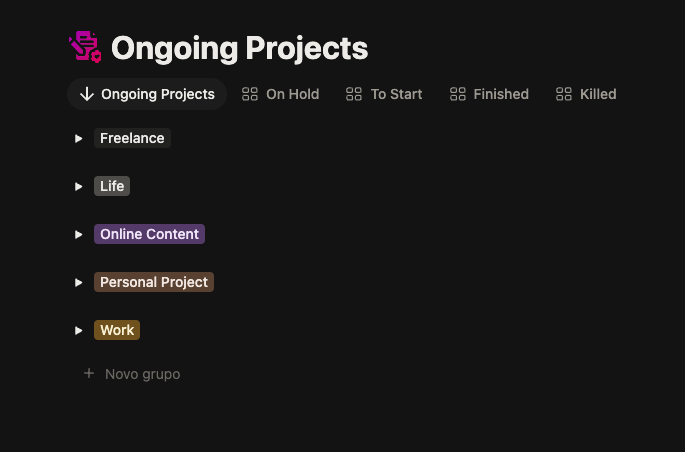
This is the project database I use every day. What I like most about it is the page templates: every new project already starts with the structure it needs, so I don't waste time setting things up and can go straight to the work.
A motion or animation project opens with tasks, scenes, stages and references, all linked to each other. Inside Stages there are templates for each phase of the job (idea, inspiration, styleframes, character design, character animation, motion design), so I can plan a project the same way I would in a studio pipeline. I hope it helps you organize yours too.
What's inside
- Projects: every project with Status (To Start, Ongoing, On Hold, Finished, Killed), Type, dates and Studio. Tabs for each status, grouped by type.
- Personal Project: Project Tasks, Scenes, Stages and Project References, all related.
- Work Project: the same structure, plus a Client Process area and a Daily Work Tracking table for half and full days.
- Online Content: a workflow that takes a post from research and script to recording, editing, publishing and promoting it.
- Product: a blank page to start a product from scratch.
- Trip: tasks, expenses and files, and a full packing list (documents, electronics, clothes, carry-on or checked bag, what to buy there).
- Studios: the studios and clients you work with, linked to their projects.
How to use it
- Open Projects Template at the bottom of this page and click Duplicate (top right) to copy it into your Notion.
- In Projects, click the arrow next to New and pick the project type you need.
- Inside the project, open Stages and use the arrow next to New to add the phases of the job from the stage templates.
- Break the work into Scenes and Project Tasks, and link them to their stages.
- Move the project through the status tabs as it goes, and add the studio or client in Studios.
 Projects Template