Nakan Collect Files
After Effects' Collect Files, in Blender: one button gathers everything a project uses, another unpacks it again.
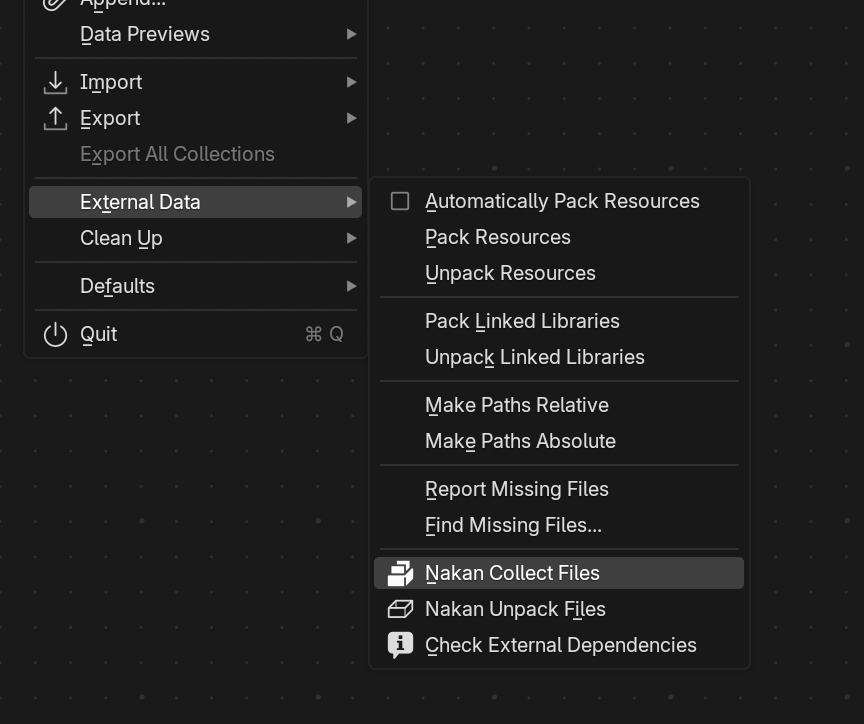
Blender doesn't have a Collect Files like After Effects, and that always seemed absurd to me. So I made two simple buttons: one gathers everything a project uses into the .blend, the other unpacks it again. I use it to reorganize projects, archive them and send them to other people. You'll find it in File > External Data.
Why not just Pack Resources? Blender's Pack Resources only packs images, sounds and fonts into the open file. Collect Files also makes linked libraries local, takes UDIMs, Geometry Nodes bakes and IES/OSL files, copies what can't be packed (videos, image sequences, VDBs, Alembic/USD, simulation caches) next to the file with relative paths, works on a copy in the background, and stops if something is missing instead of saving an incomplete archive.
Download
Also on GitHub, with the source code and every release.
To install: Edit > Preferences > Add-ons > Install from Disk, pick the .zip and enable it.
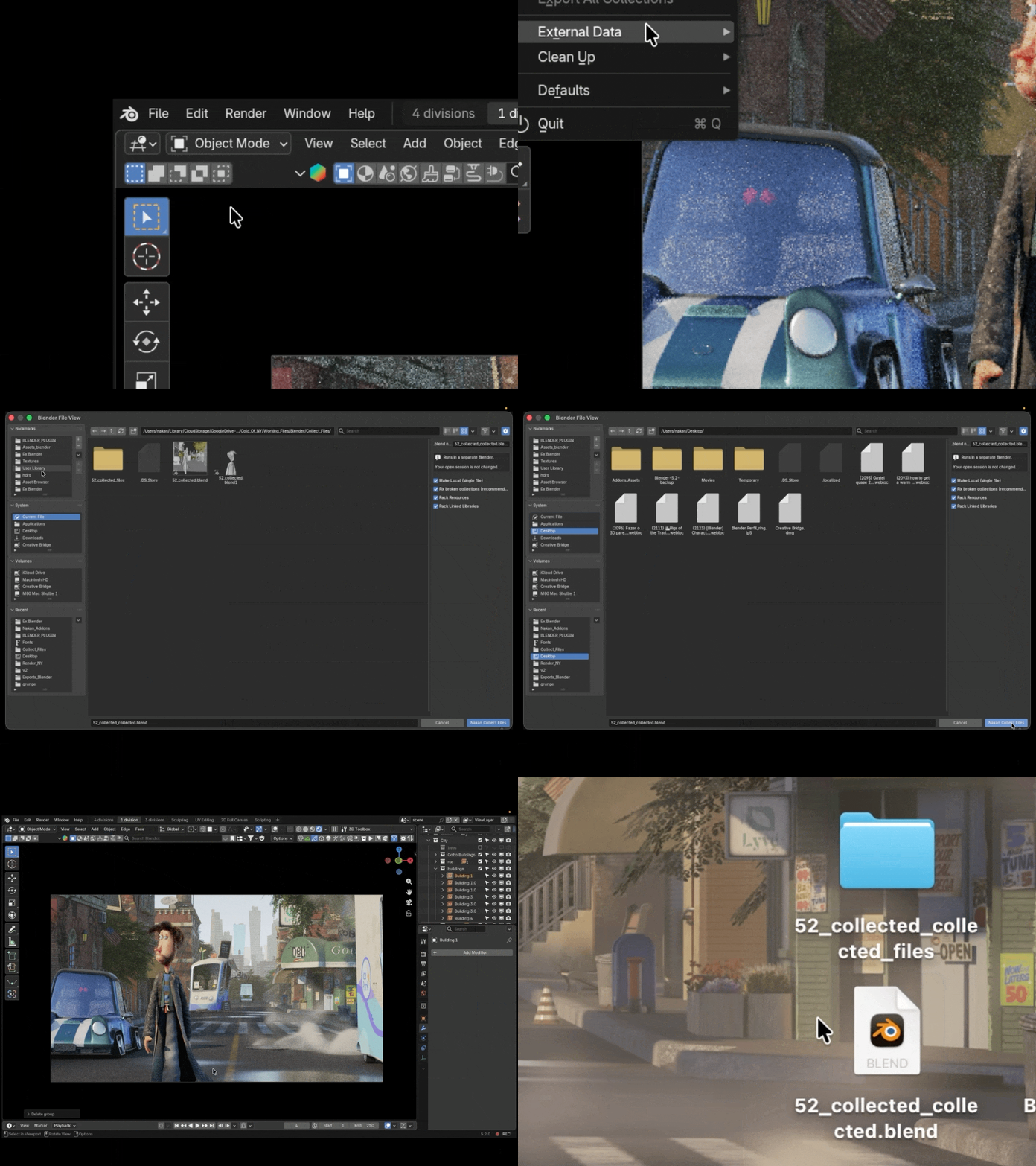
Collect: creates a new, self-contained .blend in the folder you choose. Linked libraries become local, and images, sounds, fonts, UDIM tiles, Geometry Nodes bakes and IES/OSL files go inside the .blend. Things Blender can only read from disk (VDB volumes, Alembic/USD, videos, image sequences, fluid, ocean and physics caches) are copied to a <name>_files folder next to it, with relative paths.
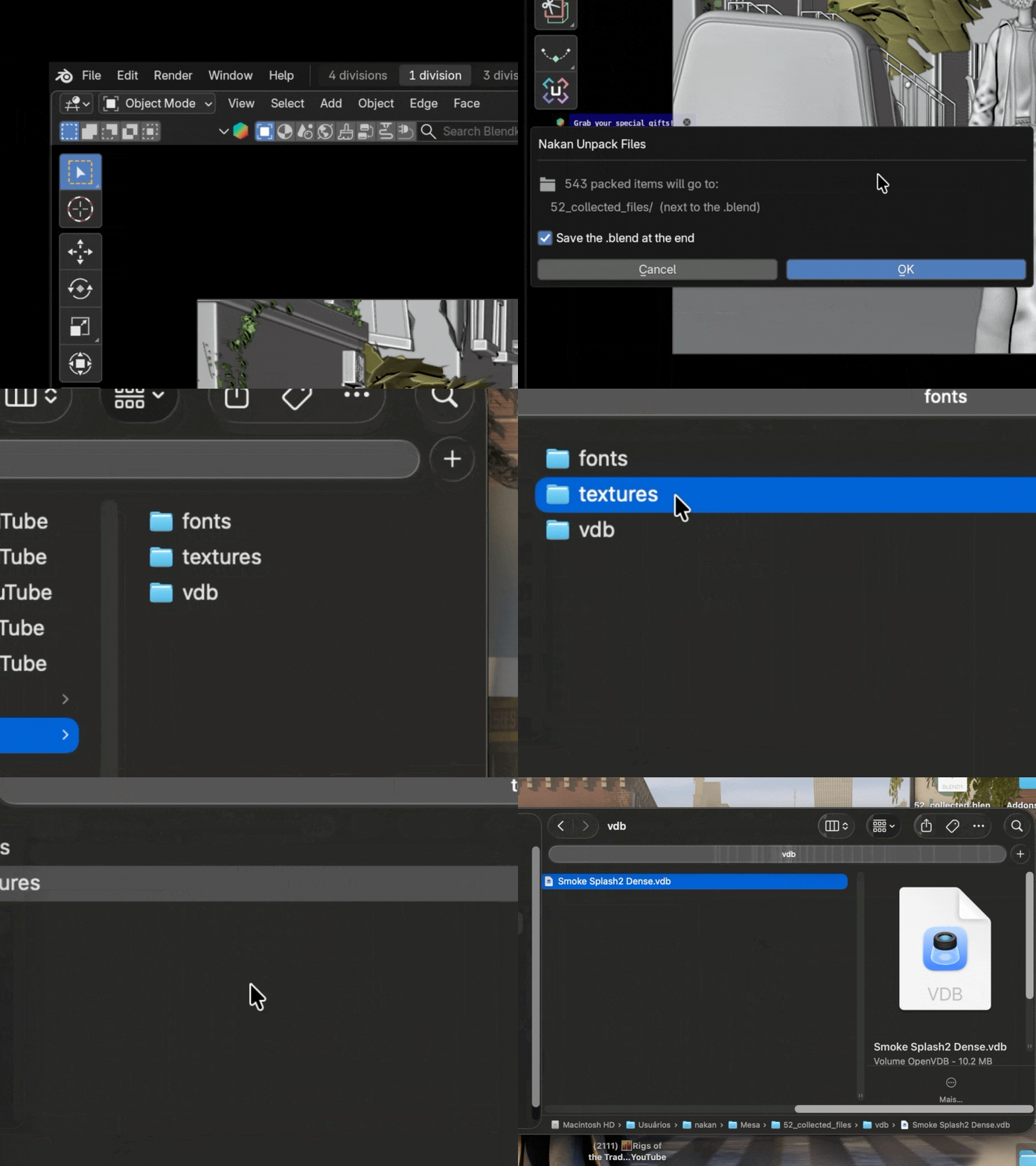
Unpack: the reverse trip. Moves everything packed inside the .blend to a <name>_files folder, with no name collisions (two different textures called "color.png" stay two files), identical files stored only once, and each file checked on disk before it's released from the .blend.
Check External Dependencies: a quick report of what is still outside the file: missing files, absolute paths and unpacked libraries.
How to use
- Save your file.
- Optional: go to File > External Data > Check External Dependencies to see if anything is missing before collecting. The report opens in the Text Editor.
- Go to File > External Data > Nakan Collect Files. Choose a destination folder and a name for the new .blend, then confirm.
- Keep working. The collect runs in a second Blender in the background and a dialog tells you when it's done. If a file is missing, it stops and tells you which one instead of saving a broken archive.
- Send or archive the new .blend. If it created a
<name>_filesfolder next to it (videos, VDBs, caches), take the folder along. - To unpack, open the collected .blend and go to File > External Data > Nakan Unpack Files. Everything packed goes to a
<name>_filesfolder next to the .blend, and the file now points to it.
Requires Blender 4.2 or newer.